
Find missing drives and check disk health before it fails.
Disk Detector is a drive diagnostics tool for Windows. It finds drives Windows can't see, reads the SMART health of every hard drive, SSD and USB stick, scans for bad sectors and file system errors, and explains in plain English what's wrong and what to do next - before a failing disk takes your files with it.
Every drive in your PC, checked and explained.
Disk Detector combines a "why can't I see my drive?" troubleshooter with professional health checks, and translates the technical readings into clear advice anyone can follow.
Detect
Missing drive finder
Find out why a drive isn't showing up - no drive letter, offline, not initialized, unallocated, a RAW file system, write-protected or a driver problem - and fix most of them in one click. Every fix is labelled with its risk, and anything that would erase a drive asks you to tick a box first.
USB sticks, SD cards and external drives
Check removable drives too: why one isn't recognised, whether it's write-protected, and whether a stick or card is really the size it claims - the capacity test finds its real usable size.
Partitions and file systems
See every partition, including hidden EFI and recovery partitions, and check the file system for errors with a read-only scan, then repair it if you choose.
Health
SMART health in plain English
Every hard drive, SATA SSD and NVMe drive is rated Good, Caution or Bad, with the reasons and what to do next. The full SMART table is there with explanations, and if a USB enclosure doesn't pass SMART data through, Disk Detector tells you so.
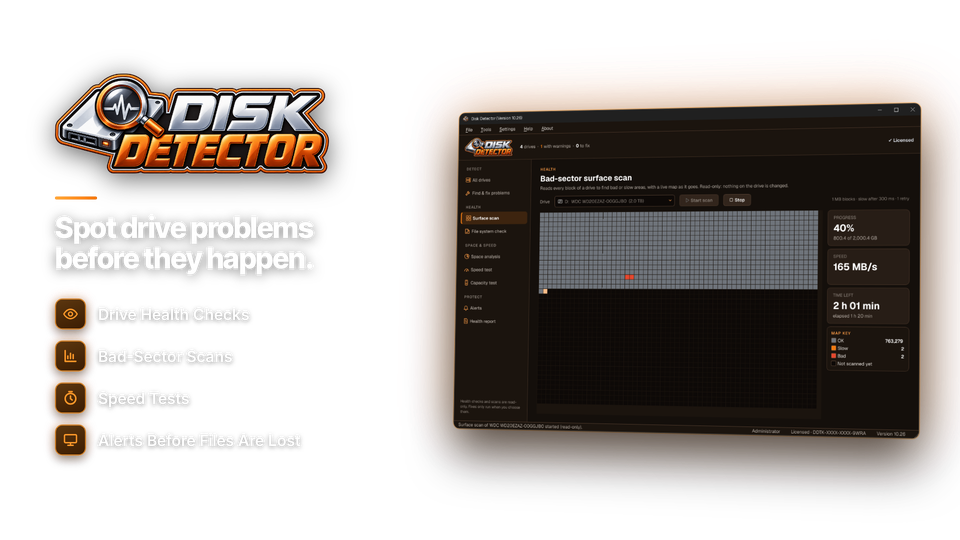
Bad-sector surface scan
A read-only scan with a live block map that shows slow and unreadable areas as it goes, and stops cleanly if the drive disconnects.
Temperature and SSD lifespan
See each drive's temperature, how much of an SSD's life is used and an estimate of what's left.
Early-warning alerts
Background checks on a schedule with desktop notifications when a drive's health gets worse, it overheats or space runs low - plus a "New drive found" check whenever you plug one in.
Space & reports
Where did my space go?
A space map of every folder you can click into, the largest folders, and space by file type.
Speed benchmark
Test read and write speeds, compare them with what that type of drive should manage, and spot a slow USB port or cable.
Printable drive health report
Save a report as PDF or text, or print it, with the scan and test results from your session - for warranty claims, your records or selling a PC. Serial numbers and SMART details are optional.
From "drive missing" to "drive failing" - covered.
The problems people search for most, and how Disk Detector handles each one.
| Problem | What it checks | What you get |
|---|---|---|
| Drive not showing in File Explorer | Drive letter, initialization, offline status | cause + one-click fix |
| New drive not detected | Connection, BIOS and driver | step-by-step checks |
| USB stick or SD card not recognised | USB status, file system | reason + how to make it readable |
| Clicking, slow or freezing drive | SMART, surface scan | health rating + back-up warning |
| "Needs to be formatted" / RAW | Partition, file system | damage check before formatting |
| SSD wearing out | Wear level, temperature | life used + estimated remaining |
| Fake-capacity USB stick or SD card | Capacity test | real usable size |
From worried to sure in four steps.
No technical knowledge needed.
Open Disk Detector
Drives are found automatically.
hidden 1
Check health
SMART readings, rated simply.
D: Caution
Follow the advice
One-click fixes or clear steps.
fix assign E:
Stay protected
Background checks and alerts.
check weekly

More answers than Windows gives you.
Windows Disk Management shows drives, but rarely tells you what's wrong. Technical SMART tools show numbers, but not what they mean. Disk Detector does both.
| Disk Detector | Windows tools | Technical SMART utilities | |
|---|---|---|---|
| Price | $29.95 once | Included | Varies |
| Explains missing drives | yes | Rarely | No |
| Plain-English SMART | yes | Very limited | Raw numbers |
| Bad-sector scan with live map | yes | Basic | Some |
| Fake-capacity test | yes | No | Separate tool |
| Background alerts | yes | No | Some |
| Printable report | yes | No | Some |
For anyone who keeps files on a drive.
Peace of mind for your files
Know your photos and documents are on a healthy drive, and get warned in time to back up if one starts to fail.
Fast diagnosis, printed reports
Find why a drive is missing or failing in minutes and hand the customer a drive health report.
Watch wear, heat and speed
Keep an eye on SSD life, temperatures and real read and write speeds.
One license. Every drive. Yours to keep.
The troubleshooter and fixes, SMART health, surface scans, speed and capacity tests, alerts and reports are all included. No subscription. Free updates.
- Drives checkedunlimited
- Scans & reportsincluded
- Works onWindows 10 & 11
- Updatesfree
- Activations1 PC
- Deliverydownload + key by email
Checkout
You'll go straight to your download page once payment is confirmed, and we'll email your download link and license key.
Already bought? Get your download link again.
Drive problem questions, answered.
Why is my drive not showing up in Windows?
The usual causes are a missing drive letter, a drive that was never initialized, a drive set to offline, a file system Windows can't read, or a connection problem. Disk Detector finds which one it is and fixes most of them in one click.
Can Disk Detector tell me if my drive is failing?
Yes. It reads the drive's SMART data and rates it Good, Caution or Bad, with the reasons and what to do next - including when to back up.
Will scanning change or damage my files?
No. Health checks, surface scans and file system checks are read-only. Fixes only run when you choose them, each is labelled with its risk, and anything that would erase a drive asks you to confirm first.
Does it work with USB sticks and SD cards?
Yes. It explains why a stick or card isn't recognised, checks write protection, and tests whether it's really the size it claims.
Which drives does it support?
Internal and external hard drives, SATA and NVMe SSDs, USB flash drives and SD cards. Some USB enclosures don't pass SMART data through; Disk Detector tells you when that happens.
Can it recover deleted files?
No. Disk Detector diagnoses and fixes drive problems. To recover deleted files, use Drive Restorer.
Can it warn me automatically?
Yes. Background checks run on a schedule and show a desktop alert if a drive's health gets worse, it overheats or space runs low.
Can I print a drive report?
Yes. Save a drive health report as PDF or text, or print it - useful for warranty claims, records or selling a PC.
What can I do before buying?
Checking drives, SMART health, partitions, the troubleshooter's explanations and the space map are free. Fixes, surface scans, file system checks, speed and capacity tests, alerts and reports need an installation key.
Which versions of Windows are supported?
Windows 10 and Windows 11.
Is it a subscription?
No. It is a one-time payment of $29.95 with free updates.
How do I get the software after paying?
You go straight to your download page once payment is confirmed, and your download link and installation key are emailed to you. In Disk Detector, choose Settings > Enter Installation Key and click Activate.
Know your drives are healthy. Find out in one click.
Missing drives found, health explained, problems caught early. One license, no subscription.
Get Disk Detector · $29.95